Camera & Creator / PRODUCT GUIDE
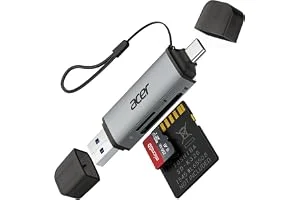
Acer ODK4E0 card reader: two card slots and USB-A/C
This small reader is listed with full-size SD and microSD slots plus both USB-A and USB-C plugs. Check your card type and computer port before expecting camera-card transfer speeds.
As an Amazon Associate I earn from qualifying purchases.
View Acer USB-C SD and microSD card reader on Amazon (paid link) ↗
Identify the exact reader before checkout
The catalog item is ASIN B0DQ71G4G4, listed as an Acer SD card reader. A retailer cross-listing names its model ODK4E0 and describes the dual-connector, dual-slot design. Because the offer is sold through marketplace sellers and Amazon’s page is not reliably accessible for verification, treat the current Amazon seller, model label and return terms as part of the purchase check. This guide is about the ODK4E0 reader—not every Acer laptop’s built-in card slot.
Two slots can keep SD and microSD cards available
The listing describes separate full-size SD and microSD (TF) slots and says they can be accessed at the same time. That can help when you want to compare cards, move files between cards through a computer, or leave one card inserted while reading the other. The manual notes that simultaneous transfers may run slower, so two slots do not mean two full-speed transfers. The cards still appear through the connected device; this is not an automatic card-to-card copier.
Choose USB-A or USB-C to match the device
The ODK4E0 is listed with both USB-A and USB-C connectors, which removes one common adapter step when moving between older computers and newer USB-C devices. The connector must match a data-capable port. If you use a phone or tablet, check that its operating system and file app can access the card contents; connector fit by itself does not promise a particular photo-import workflow. A thick phone case may also prevent a short plug from seating fully, according to the product manual.
Treat 5Gbps as a bus ceiling, not a copy-speed promise
The retailer lists up to 5Gbps over USB 3.0 and backward compatibility with USB 2.0. That is the interface’s stated maximum, not a guarantee that a camera card will transfer at that rate. The card’s own speed class, reader implementation, host port, file sizes and simultaneous use all affect the result. If you routinely ingest large video files, test your actual card and computer before relying on this reader for a tight turnaround.
Check card format support against the card in your camera
The ODK4E0 manual lists SD, SDXC, microSD, microSDHC and microSDXC media; the retailer listing also names SDHC and MMC. Match the exact card family, not just the word “memory card.” It is a reader for SD-family formats, not a universal reader for CFexpress, CompactFlash, XQD or every camera-card type. Check the markings on your card and camera before buying, especially if your production kit uses a higher-end format.
It is useful for a simple camera-to-computer handoff
For an SD or microSD camera card, the straightforward workflow is to insert the reader into a compatible port, mount the card, then copy the files into a named folder and verify the copy before erasing the original card. A reader does not back up files by itself. Keep the source card unchanged until you have checked the transferred files and a second copy if the footage matters. That habit is more important than a headline transfer-rate figure.
When a more specialized reader is the better choice
The sources I could verify do not establish an explicit UHS-II rating for this ODK4E0 listing. If your SD cards are UHS-II and you need a reader sold with that standard, compare a dedicated ProGrade UHS-II reader. ProGrade’s model explicitly identifies UHS-II slots and a USB 3.2 Gen 2 interface. It is a more specialized purchase; verify your card’s bus markings and the exact ProGrade version before paying for that capability.
Compare the Anker USB-C reader for a USB-C-only kit
Anker’s USB-C 2-in-1 reader is another compact option with one full-size SD slot and one microSD slot; Anker lists the SD slot as UHS-I. It may be a better fit if your devices are all USB-C and you want an established accessory maker’s product page to consult. The Acer ODK4E0 listing’s distinguishing practical point is its USB-A plus USB-C connector choice. Neither brand name guarantees the fastest transfer with every card.
Who should choose the ODK4E0
Shortlist it if you want a small SD/microSD reader that can connect to either USB-A or USB-C and you do not need a specialized camera format. Compare Anker if a USB-C-only reader is enough, or ProGrade when UHS-II workflow is a verified requirement. Before ordering, check the seller, exact model ODK4E0, ports, card-family support and return terms. Ryan has not said he owns or tested this reader; this guide is based on the retailer listing and available product manual.
Compare the shopping options
Anker USB-C 2-in-1 — compare a USB-C-only reader
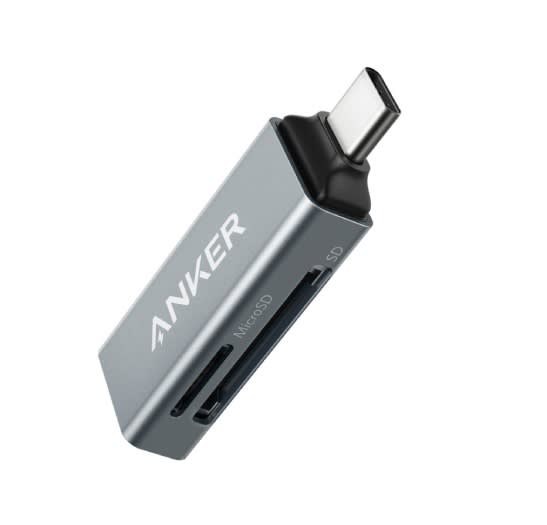
Product photo: ProductNation product photo
ProGrade PG08 — compare a reader explicitly rated for UHS-II
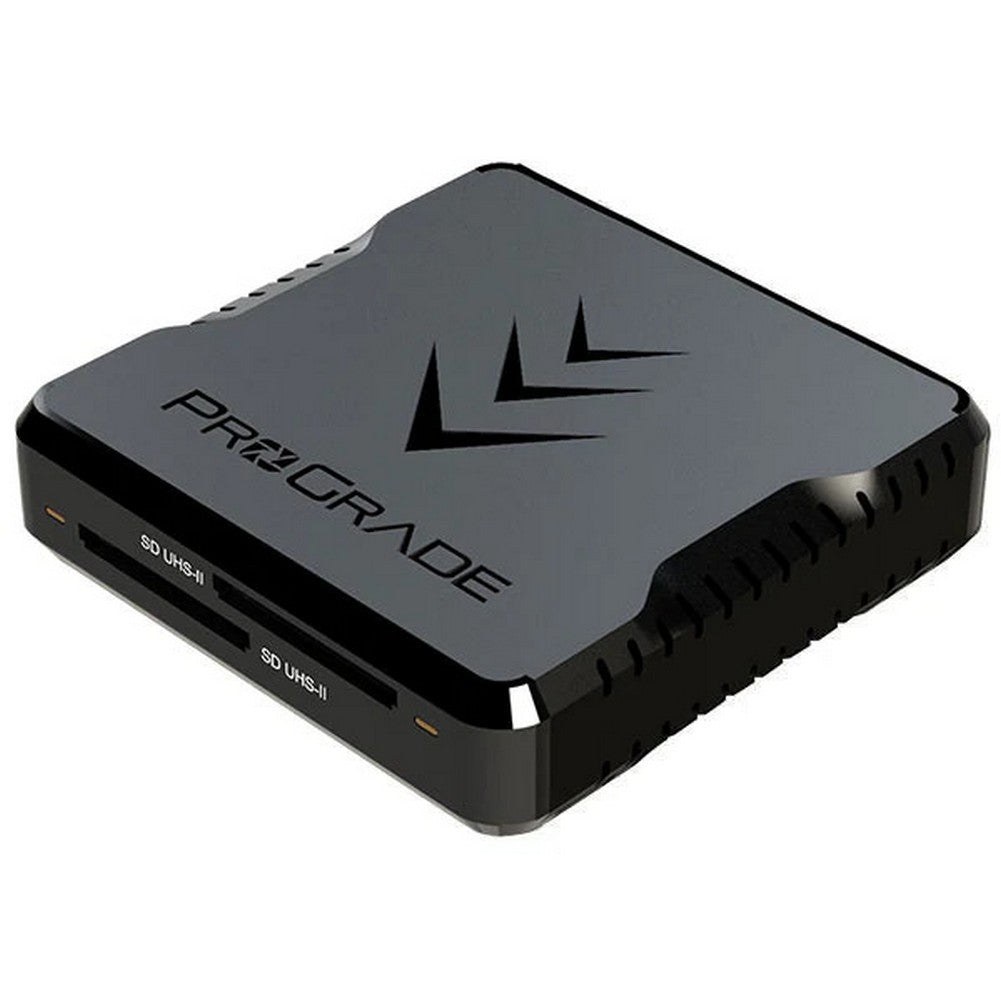
Product photo: Hypop product photo
Sources and review basis
Researched November 18, 2026. Ryan’s own experience is attributed where supplied. Other judgments are buying advice based on the cited product information, not a hands-on comparison or laboratory test. Prices and availability are checked at the retailer.
- Amazon listing for Acer reader ASIN B0DQ71G4G4 (paid link)
- Best Buy Canada marketplace listing for model B0DQ71G4G4: connectors, card slots and stated interface speed
- Available product manual for model ODK4E0: card formats, USB compatibility and simultaneous-transfer note
- Anker official USB-C 2-in-1 Card Reader product details
- ProGrade Digital official PG08 dual-slot UHS-II reader specifications
- Product photo: Anker USB-C 2-in-1 — compare a USB-C-only reader
- Product photo: ProGrade PG08 — compare a reader explicitly rated for UHS-II