Computers, Tablets & Accessories / PRODUCT GUIDE
Anker 317 100W charger guide for one USB-C laptop at a time
B0C1FZWT8M maps to the black Anker 317 A2672. It offers one USB-C output at up to 100 watts. The simplest fit is a laptop with a compatible USB-C input and a travel kit that charges one device at a time.
As an Amazon Associate I earn from qualifying purchases.
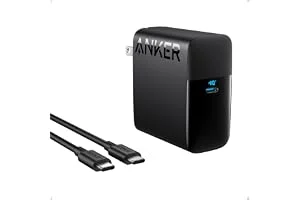
View Anker 317 100W single-port USB-C charger, Black (A2672) on Amazon (paid link) ↗
Check the device’s required charging profile
Anker’s support table gives the maximum as 20 V at 5 A. Your laptop, charger and cable must all support the negotiated profile to reach it. A laptop rated above 100 W may charge at a lower rate or behave differently under heavy load. Check its manufacturer’s guidance before replacing an included higher-power adapter. A USB-C socket on a computer can also be data-only.
Pick the cable for its rating and real reach
The Amazon listing names a six-foot bundle, and Anker’s support page and AnkerDirect’s Best Buy listing describe a five-foot cable. Confirm the package if an exact length matters for your outlet. Regardless of length, use a USB-C cable with the appropriate 5 A rating for the 100 W profile. If you use a dock with pass-through power, check how much of the input it can deliver to the laptop after powering itself.
Use the advantage of having a single output
There is no port-sharing table to work through because the charger powers one connected device. That is handy when you normally plug in your laptop during a work session and charge your phone later. If both gadgets must be plugged in every night, a multiport model can simplify the routine. Match its simultaneous output allocations to what your devices require.
Plan for the foldable plug and outlet placement
Anker lists folding prongs for the U.S. version and says the European version uses a different plug design. Buy the version for your electrical outlets and check space around the chosen socket. For a recessed strip under a desk, think about how the cable will exit and where it might get tugged. Ryan did not measure output, power negotiation or case temperature.
Compare Anker A2697 if an older device still uses USB-A
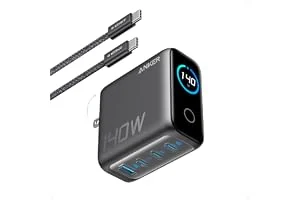
The A2697 has three USB-C ports and one USB-A port. It is the more flexible choice when a laptop and an older cable need to charge together. Check the port-sharing table because the 140 W maximum applies to the right single-port combination.
Compare Anker Prime A2687 for three USB-C devices
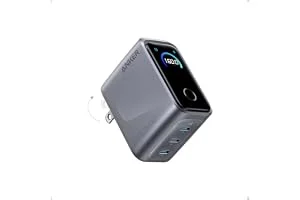
The A2687 offers three USB-C connectors and a higher total rating. It makes sense when an all-USB-C lineup needs simultaneous charging. The A2672 is the simpler travel tool if positioning one cord and one laptop is the whole job.
Compare the shopping options
Anker A2697 140W four-port charger — USB-C and one USB-A port
Anker Prime A2687 160W — three USB-C outputs
Sources and review basis
Researched November 20, 2026. Ryan’s own experience is attributed where supplied. Other judgments are buying advice based on the cited product information, not a hands-on comparison or laboratory test. Prices and availability are checked at the retailer.