Computers, Tablets & Accessories / PRODUCT GUIDE
Anker A83H1 HDMI switch guide for two sources sharing one screen
The A83H1 is a compact manual HDMI selector rated for up to 4K at 60 Hz. It can switch two sources into one display, or select between two displays from a single source one at a time.
As an Amazon Associate I earn from qualifying purchases.
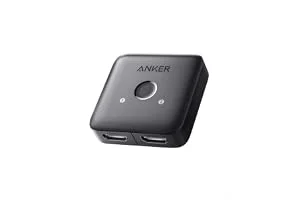
Use the switch when you are short one HDMI input
Connect two HDMI sources, such as a console and a streaming device, to the paired side and the display to the common connection. Press the switch to choose what you want to see. This saves reaching behind the screen to swap leads. It still adds another button to the viewing routine. Leave the unit reachable if you switch regularly.
Understand the limits of the reverse direction
Anker’s instructions show a second wiring option where one source connects to the common side and the other side goes to two displays. The button selects which screen receives the signal. If you need an audience display and a monitor to show the same signal at once, choose hardware specifically designed to send the signal to both displays concurrently.
Check resolution with all cables installed
Anker specifies 4K60 and up to 18 Gb/s. The official cable table for 4K60 calls for a cable of up to one meter on the source side and up to one meter on the screen side. Start with short compatible cables and check the resolution and refresh rate once the switch is in the path. This model’s documented ceiling makes it unsuitable for preserving a 4K120 setup.
Use direct connection to separate a source problem from a switch problem
If one source fails to show a picture, connect it to the screen directly and check the selected input and output settings. Put the switch back once the direct connection works. That way you can tell whether the issue happens only with the extra connection and cable rather than altering every setting simultaneously. Ryan did not test compatibility with a particular console or display.
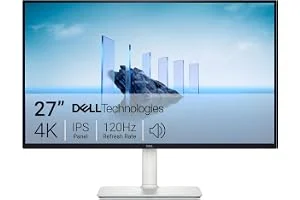
Compare a Dell S2725QS when you already need a new display
The S2725QS has two HDMI inputs and a DisplayPort connector. If you are shopping for a new monitor, extra built-in inputs can remove the need for a separate desktop switch. Keep the A83H1 in mind when your existing display otherwise suits you and has only one usable HDMI socket.
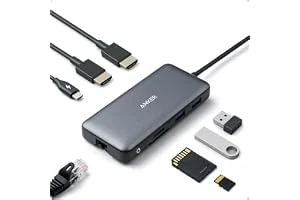
Compare Anker 553 when one laptop needs additional screen connections
The Anker 553 adds HDMI ports to a suitable USB-C laptop and has its own operating-system and display limits. It is a better path when you need to extend the laptop into an additional display setup. The A83H1 selects existing HDMI signals and solves the separate problem of choosing a source or screen.
Compare the shopping options
Dell S2725QS monitor — two built-in HDMI ports and DisplayPort
Anker 553 A8380 USB-C hub — add display connections to a compatible laptop
Sources and review basis
Researched November 20, 2026. Ryan’s own experience is attributed where supplied. Other judgments are buying advice based on the cited product information, not a hands-on comparison or laboratory test. Prices and availability are checked at the retailer.