Computers, Tablets & Accessories / PRODUCT GUIDE
Dell SE2726HG guide: can your games make use of 240 Hz?
Dell’s SE2726HG is a flat 27-inch Full HD IPS monitor with a 240 Hz ceiling and AMD FreeSync Premium. Its tradeoff is unusually clear at this size. It gives a fast PC more chances to put a fresh frame on screen, while documents and fine interface text look coarser than on a same-size 4K panel.
As an Amazon Associate I earn from qualifying purchases.
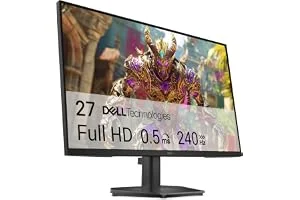
Check game frame rates during a busy match
Watch your frame-rate counter during actual play with the settings you like. Frequent dips in a busy fight matter more than a menu that runs above 240 fps. A 240 Hz display refreshes about every 4.2 milliseconds at its maximum mode, and a 120 Hz mode refreshes about every 8.3 milliseconds. Those intervals describe the panel’s update cadence. Total input delay also depends on the PC, the game and the display mode.
Look beyond the fastest response-time setting
Dell lists several gray-to-gray settings, from its fastest Extreme figures to slower presets. If you see clear or dark fringes following moving objects, compare a lower overdrive setting in a game you regularly play. Set 1920 × 1080 at the highest supported refresh rate in the system settings and verify adaptive sync separately. Dell lists two HDMI inputs and one DisplayPort 1.4. A game or console with a lower frame-rate ceiling will still run at its own limit.
Budget for desk height and separate sound
At about 82 pixels per inch, the pixel structure is easier to see at close working distances. Try an arm’s-length seating position if you like the large target area but see jagged text. The factory stand tilts; it lacks height, swivel and pivot adjustment. Dell also lists no speakers. Factor a riser or compatible mount and headphones or speakers into the cost if your desk needs them. Ryan has not reported testing response time, motion artifacts or input lag.
Compare the Dell S2725QS for mixed work and play
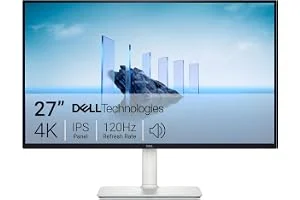
The Dell S2725QS B0F1GF1KFC has four times as many pixels at the same diagonal and runs up to 120 Hz. It adds speakers and an adjustable stand. If your evenings alternate between editing footage, reading and games, that combination can matter more than the higher refresh ceiling of the SE2726HG. You will need a source and cable that can carry the chosen 4K mode.
Compare Samsung’s 32-inch G51F if you want a larger QHD view
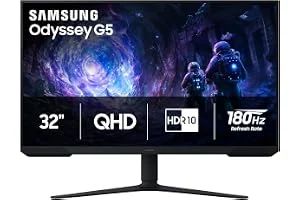
The 32-inch Odyssey G5 G51F B0HG3FYY4D offers 2560 × 1440 at up to 180 Hz. It makes sense when you want more space for a large game map or a more immersive seat position, and can sit far enough back. Its QHD resolution takes more GPU work than Full HD at the same settings. The 27-inch Dell has the higher refresh ceiling and leaves more width available on a compact desk.
Compare the shopping options
Dell S2725QS 27-inch 4K 120 Hz — sharper mixed-use screen with speakers
Samsung Odyssey G5 G51F 32-inch QHD 180 Hz — larger gaming display
Sources and review basis
Researched November 20, 2026. Ryan’s own experience is attributed where supplied. Other judgments are buying advice based on the cited product information, not a hands-on comparison or laboratory test. Prices and availability are checked at the retailer.