Headphones & Speakers / PRODUCT GUIDE
Logitech H390: a desk headset that plugs in and stays simple
The exact USB-A H390 combines an adjustable boom mic, inline mute and volume, and a long cable; compare its fixed wired setup with USB-C and analog alternatives.
As an Amazon Associate I earn from qualifying purchases.
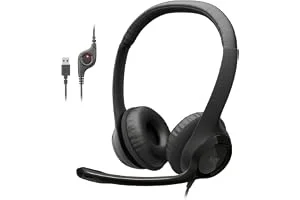
View Logitech H390 USB-A headset (Black) on Amazon (paid link) ↗
Match the USB-A version to the listing
This guide covers the black Logitech H390 USB-A headset, ASIN B000UXZQ42, model 981-000014. Logitech now offers the H390 family in USB-A and USB-C variants, so check the connector on the actual Amazon selection. This ASIN is the USB-A version. A product family photo or retailer title may not make that distinction obvious.
Plug-and-play makes the routine predictable
The H390 connects over USB and does not need Bluetooth pairing or a rechargeable battery. Logitech positions it for video meetings, music and everyday computer audio. On a compatible computer with an available USB-A port, the connection is direct. It is not a universal 3.5 mm headset; a phone or tablet without USB-A would need a compatible adapter or a different version.
The boom mic and inline buttons suit regular calls
A movable left-side boom puts the mic closer to your mouth and can rotate out of the way when you are only listening. Logitech calls it a noise-canceling microphone; that describes microphone noise handling, not active noise-cancelling headphones for the listener. The inline module gives quick volume and mute control. It can save a click in meeting software, but always confirm the software’s own mute state before relying on a hardware button.
Driver and cable details
Logitech lists 30 mm audio drivers and a 1.9 m cable. That length gives a little room to move around a desk but can leave excess cable on a compact setup. It is a wired computer headset, not a wireless roaming solution. The fixed cable also makes cable condition and storage worth considering if the headset travels in a backpack every day.
Fit is personal with an over-head headset
The adjustable headband and swivel-mounted leatherette ear cushions make the fit easy to adjust and the contact surfaces simple to wipe. Logitech describes them as cushioned for long calls, but comfort varies by head shape, glasses and heat. If you dislike headbands or over-ear cups, compare lightweight earbuds or a single-ear headset rather than assuming padding will suit every workday.
The tradeoffs: no wireless and no analog jack
There is no Bluetooth mode, detachable cable or 3.5 mm analog fallback on this USB-A model. If you switch among a laptop, phone and tablet, a separate USB adapter may add friction. For a call-heavy desk routine with one computer, the simplicity can be a plus. For mobility or multiple device types, a Bluetooth headset or a headset with a standard analog connector is more flexible.
Compare Logitech Zone Wired for a call-focused desk setup
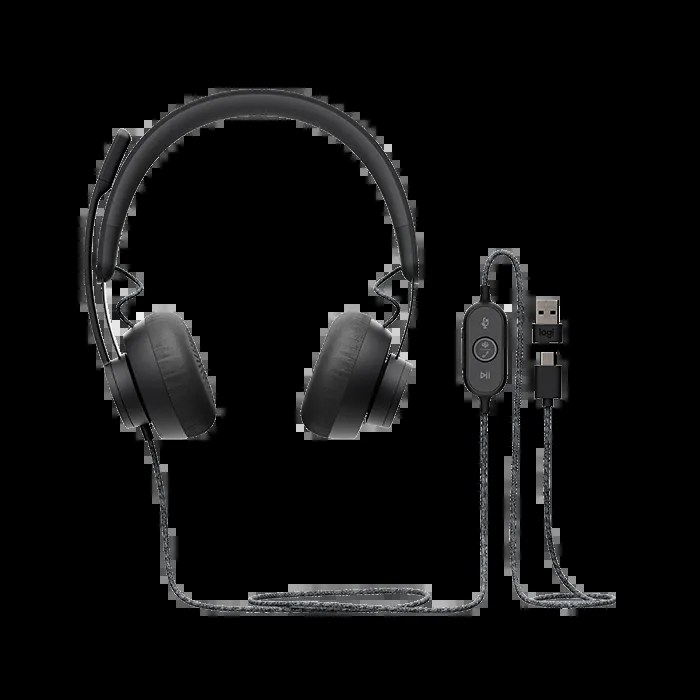
Logitech Zone Wired is a useful comparison if you want a business-oriented headset family with more meeting-focused features and connection options. Check the selected Zone Wired configuration, connection type and controls because Logitech sells multiple variants. The H390 is the simpler, familiar USB-A headset; a newer business model may make more sense when you need platform-specific certification or refined call features.
Compare a 3.5 mm headset when USB-A is inconvenient
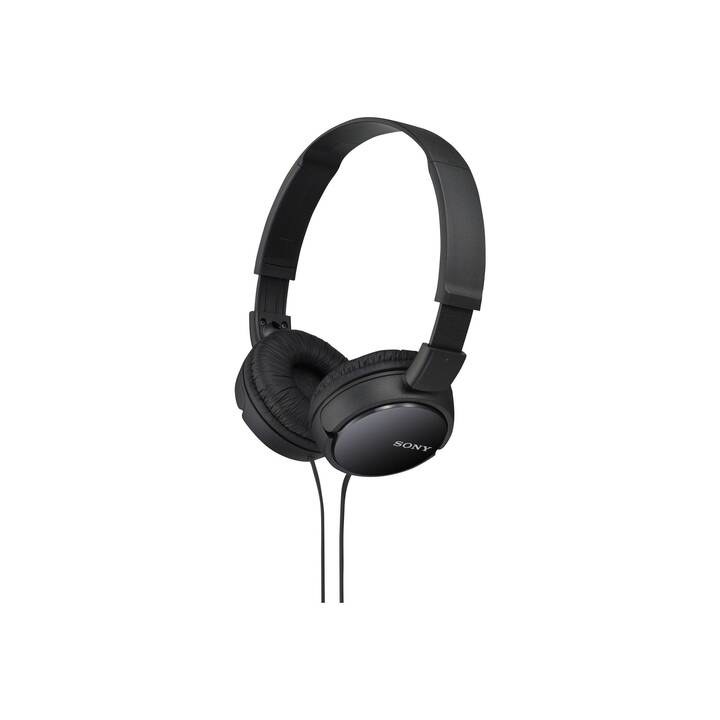
Sony’s MDR-ZX110AP adds an inline microphone to a conventional 3.5 mm wired headphone connection. That gives you an analog option for devices with a headphone jack, while the H390 keeps mic and listening on one USB connection. The Sony does not have the H390’s inline call controls, and the standard MDR-ZX110 is a separate no-mic model—check the AP suffix before ordering.
Who should shortlist this H390
Choose the H390 if you want a straightforward black USB-A headset for computer calls, a close boom microphone, inline mute/volume and no battery charging. Skip it if your device has only USB-C, you need Bluetooth mobility, or you want a detachable cable. Confirm model 981-000014 and the connector shown in the selected listing. This guide uses Logitech’s product information, not a Ryan hands-on call-quality test.
Compare the shopping options
Logitech Zone Wired — compare a business-focused computer headset
Product photo: Logitech Store Brazil product photo
Sony MDR-ZX110AP — compare a 3.5 mm wired headset with mic
Product photo: Interdiscount product photo
Sources and review basis
Researched November 18, 2026. Ryan’s own experience is attributed where supplied. Other judgments are buying advice based on the cited product information, not a hands-on comparison or laboratory test. Prices and availability are checked at the retailer.