Computers, Tablets & Accessories / PRODUCT GUIDE
PNY CS900 500GB guide: one more useful upgrade for a computer with a SATA bay
PNY’s SSD7CS900-500-RB uses a 2.5-inch SATA III connection and is rated up to 550 MB/s sequential read and 500 MB/s write. The case for this specific drive is a modest-capacity replacement for an older mechanical boot drive in a machine that already supports the 2.5-inch SATA format.
As an Amazon Associate I earn from qualifying purchases.
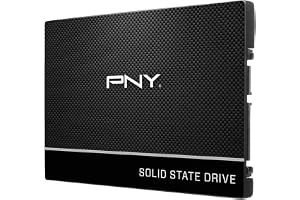
View PNY CS900 500GB 2.5" SATA III Internal SSD on Amazon (paid link) ↗
Check how the old drive is mounted and connected
On a laptop, look for a 2.5-inch SATA bay and check whether the original drive uses a reusable caddy or short connector ribbon. A desktop may need an open SATA data port, a power lead and a 2.5-inch mounting position or bracket. PNY also uses the CS900 name on an M.2 SATA product. The exact part ending in 500-RB here is the 2.5-inch drive; its casing and connector differ from a stick-style SSD.
A 500GB label can be the deciding limitation
Open the current storage view before buying. If the computer holds a large game library, several years of photos or video scratch files, a 500GB replacement can fill immediately after migration. A larger old disk can sometimes be cloned to the smaller SSD if its data and partitions fit and the cloning tool supports shrinking them. Make a separate backup before you begin, and keep the old disk intact until you can boot and verify your files on the replacement.
Set performance expectations by the machine, not the box
A move from a mechanical disk can make ordinary file access and app launches feel quicker because the SSD has no seek arm. The quoted sequential peaks are a separate measure. An older SATA II connection can cap those transfers below the drive’s SATA III rating. Check memory pressure, CPU usage and software support as well if the whole computer feels slow. Ryan has not reported timing this drive on an older SATA II or SATA III machine.
Compare Samsung’s 870 EVO for another 500GB SATA fit
Samsung’s 500GB 870 EVO B08QBMD6P4 is another 2.5-inch SATA III drive with published ceilings of 560 MB/s read and 530 MB/s write. It can fit the same type of bay and gives buyers a second model to price against the PNY. The difference in headline speeds is modest. Compare the delivered warranty and seller terms before paying extra for either unit.
Compare Kingston NV3 if the machine has an NVMe slot and needs more capacity
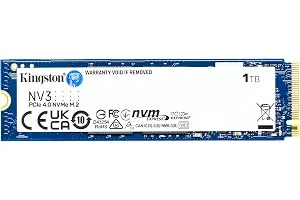
The pictured Kingston NV3 B0DBR3DZWG offers 1TB in the M.2 2280 NVMe format. On a compatible machine it provides more room and a much higher sequential ceiling. The decision starts at the connector: if the computer has an available PCIe NVMe socket, consider the Kingston; if its usable storage position is a 2.5-inch SATA bay, the PNY or Samsung is the simpler internal fit.
Compare the shopping options
Samsung 870 EVO 500GB — direct 2.5-inch SATA III alternative
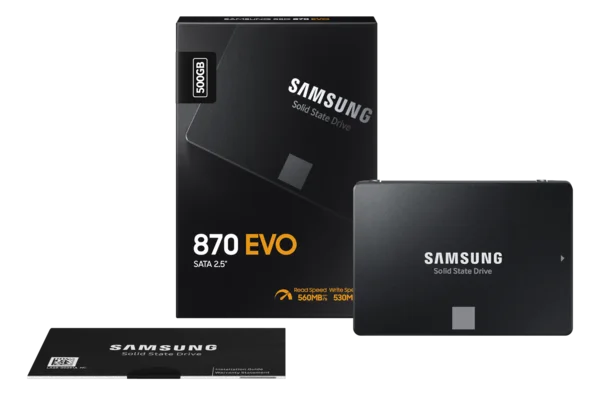
Product photo: Samsung 500GB product photo, Korean packaging
Kingston NV3 1TB — higher-capacity alternative for a PCIe NVMe slot
Sources and review basis
Researched November 20, 2026. Ryan’s own experience is attributed where supplied. Other judgments are buying advice based on the cited product information, not a hands-on comparison or laboratory test. Prices and availability are checked at the retailer.
- PNY official SSD7CS900-500-RB product specifications
- PNY B07XZLN9KM exact capacity, form factor and model mapping
- PNY separate M.2 SATA CS900 family
- Samsung official MZ-77E500B/AM model and speed specifications
- Samsung exact 500GB Amazon listing and model mapping
- Kingston NV3 official 1TB M.2 2280 model specifications
- Product photo: Samsung 870 EVO 500GB — direct 2.5-inch SATA III alternative