Computers, Tablets & Accessories / PRODUCT GUIDE
Samsung Odyssey G5 G51F 32-inch guide: plan your desk and GPU around QHD
The 32-inch Samsung Odyssey G5 G51F B0HG3FYY4D is a QHD 2560 × 1440 gaming monitor with a 180 Hz ceiling. Its appeal is a large game image without moving all the way to native 4K. The sensible buying question is whether that combination fits your viewing distance and the games your PC can run.
As an Amazon Associate I earn from qualifying purchases.
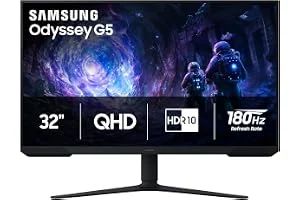
View Samsung 32" Odyssey G5 (G51F) QHD 180Hz Gaming Monitor on Amazon (paid link) ↗
A larger image needs space behind the keyboard
At 32 inches, a 16:9 picture occupies roughly 28 inches of width before allowing for the housing. Mark that span on the desk and check whether the screen would crowd speakers or a second monitor. From the nominal diagonal and resolution, pixel density works out to roughly 92 pixels per inch. This is similar to a 24-inch Full HD screen, rather than the finer density of 27-inch QHD. The larger image can make a game map or instrument panel easier to see from farther back, but it does not give tiny text the appearance of a small 4K display.
Balance resolution against the frame rate of your own games
QHD contains about 3.69 million pixels per frame, compared with 2.07 million at Full HD and 8.29 million at 4K. These are pixel-count calculations, not predictions of proportional performance: game engines, graphics settings and CPU limits also matter. Check benchmarks for your own GPU in the games you play, ideally with comparable settings. A fast competitive game might make good use of 180 Hz; a demanding single-player title may benefit more from stable frame delivery at a lower target than from chasing the panel’s ceiling.
Read the motion claims carefully
Samsung specifies 180 Hz, and the retailer describes the advertised 1 ms figure as MPRT. That motion-picture response metric is not a measurement of total input lag. At 180 Hz, the nominal interval between refreshes is about 5.6 milliseconds, while the whole input-to-image path involves additional stages. AMD FreeSync is listed to coordinate refresh with a compatible graphics source. Confirm the supported mode and synchronization settings after connecting; do not assume a game launches at the highest refresh setting simply because the screen supports it.
Use the gaming controls for a purpose
The G51F includes Black Equalizer and Virtual Aim Point, according to the product feature listing. Raising dark areas can help you inspect a shadowed game scene, but it also changes the intended tone of the picture. An on-screen aiming marker is useful only where the game and its rules permit it. For films or photo work, return to settings suitable for evaluating the image itself. HDR10 support alone does not establish HDR quality. Ryan has not reported hands-on measurements of this exact display’s brightness, response behavior or color accuracy; those results should not be inferred from the feature names.
Compare Dell SE2726HG for a faster Full HD target
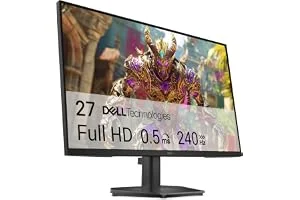
The 27-inch Dell SE2726HG B0GGRKQ494 has an IPS panel and a 240 Hz Full HD ceiling. It is the alternative for a desk where 32 inches is too large, or for games where you would prioritize high frame rates over QHD detail. A lower native pixel count can reduce graphics load, though it cannot fix a CPU bottleneck. Choose the Samsung for the larger QHD presentation and the Dell when your actual games and computer justify the higher refresh target.
Compare Dell S2725QS for detailed work between games
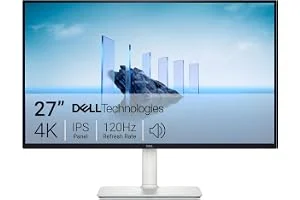
The 27-inch Dell S2725QS B0F1GF1KFC offers 4K at up to 120 Hz. Its smaller diagonal and higher resolution make it a different kind of upgrade for reading and inspecting images. The included speakers and adjustable stand also simplify a shared work-and-entertainment desk. The Samsung is the more direct choice when you want a large game view and a higher refresh ceiling. The Dell deserves priority when text, photographs and desktop work dominate your day and you can accept a lower gaming refresh limit.
Compare the shopping options
Dell SE2726HG — 27-inch Full HD IPS 240 Hz gaming alternative
Dell S2725QS — smaller 4K 120 Hz mixed-use alternative
Sources and review basis
Researched November 20, 2026. Ryan’s own experience is attributed where supplied. Other judgments are buying advice based on the cited product information, not a hands-on comparison or laboratory test. Prices and availability are checked at the retailer.