Computers, Tablets & Accessories / PRODUCT GUIDE
Samsung S36GD 27-inch guide: a curved everyday screen with a resolution tradeoff
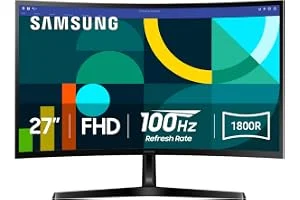
The Samsung LS27D366GANXZA, linked as B0DB9Q5G3R, combines a 27-inch 1800R curved screen with 1920 × 1080 resolution and a refresh ceiling of 100 Hz. It is worth considering for a larger everyday display when readable size matters more than fitting lots of tiny detail on screen.
As an Amazon Associate I earn from qualifying purchases.
Decide whether you want bigger content or more workspace
A larger diagonal does not automatically give you more spreadsheet columns. At the same scaling setting, this Samsung displays the same number of pixels as a smaller Full HD monitor, spread over a bigger area. Calculating from its diagonal and resolution gives approximately 82 pixels per inch. That can suit someone who wants comfortably sized interface elements, but close-up text will look less fine than on a smaller Full HD or higher-resolution 27-inch display. Before choosing it, open your usual document and browser together on a Full HD screen: that is the workspace you are buying, enlarged.
Treat the curve as a seating preference
The 1800R specification describes the curvature of the panel; it does not prescribe a mandatory viewing distance. The sides turn inward toward a person seated centrally. That can be appealing for watching video alone or keeping a single game in front of you. For checking straight lines in layout work, or showing a colleague a document from the side, a flat monitor may be easier to judge. Try to see a similar curved display in person if this would be your first. The curved shape cannot add detail to a low-resolution photograph or make a narrow desk deeper.
Set up the connection for the refresh rate you actually want
The exact retailer listing identifies HDMI and D-sub inputs and notes that the default refresh setting is 60 Hz. After connection, check the display settings on both the computer and monitor for the available 100 Hz mode. HDMI is the sensible starting point for a modern computer; D-sub is useful for an older machine. A USB-C-only laptop needs an appropriate video adapter or dock. Verify the complete connection path instead of assuming the connector on the laptop establishes the final resolution and refresh rate.
Keep game presets separate from editing decisions
The listed Game Mode changes color and contrast. It may make some game scenes easier to see, but a preset that helps visibility is not a calibration result. Switch back to a neutral setting before judging a photograph, and compare familiar skin tones and a white document in the room where you work. Ryan has not reported testing this exact monitor for color accuracy, blur or input delay. Our recommendation is based on its documented configuration and the practical implications of its size and resolution.
Choose Philips for a smaller Full HD desk setup
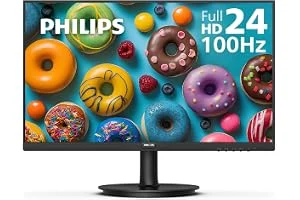
The Philips 241V8LB/27 B0C8ZKV5R9 gives you 23.8 inches, Full HD and a 100 Hz refresh rate. It is the more compact alternative when desk width is limited or you sit close enough to notice coarse text on a 27-inch Full HD panel. You keep the same pixel workspace in a smaller physical area. Choose the Samsung when the larger presentation and curve are the attraction; choose the Philips when a smaller everyday screen is easier to position.
Choose Dell 4K when detail is the reason for upgrading
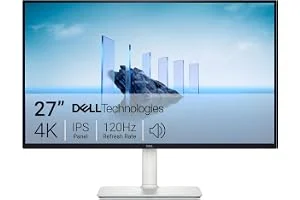
The Dell S2725QS B0F1GF1KFC offers 3840 × 2160 at up to 120 Hz, an adjustable stand and built-in speakers. It deserves a look if the monitor will serve reading, photographs and video editing as well as entertainment. Its higher pixel count can support finer text with sensible scaling; it also asks more of the source when gaming at native resolution. Compare the complete setup cost and supported video output. Buy the Samsung for a large basic workspace, rather than expecting its curve to substitute for higher resolution.
Compare the shopping options
Philips 241V8LB/27 — smaller 23.8-inch Full HD 100 Hz display
Dell S2725QS — 27-inch 4K 120 Hz display with speakers
Sources and review basis
Researched November 20, 2026. Ryan’s own experience is attributed where supplied. Other judgments are buying advice based on the cited product information, not a hands-on comparison or laboratory test. Prices and availability are checked at the retailer.